James
James
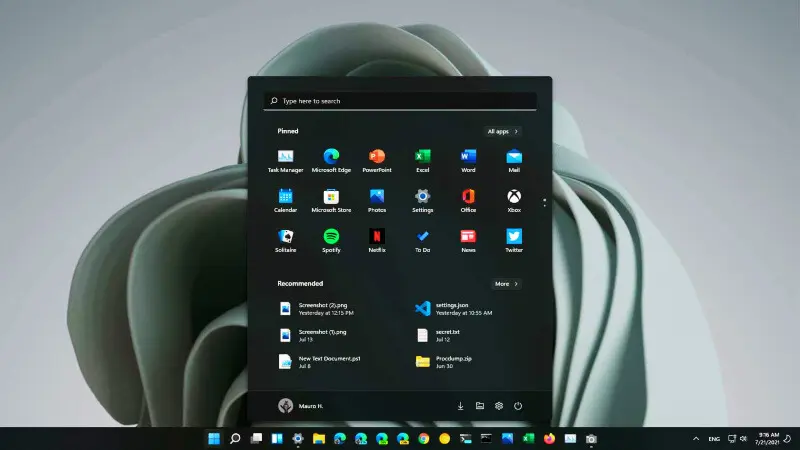
Microsoft Finally Expands Full Dark Mode Across Windows 11
After years of user feedback, Microsoft is finally delivering a complete dark mode experience in Windows 11. The company has rolled out a new Insider Preview build (26220.6772) in the Dev Channel, bringing full dark theme support to every corner of File Explorer, including copy, move, and delete dialog windows.
This update marks a long-awaited step toward a more consistent visual experience, addressing one of Windows 11’s most frequent complaints — the lack of uniformity in its dark mode.
A Fully Unified Dark Theme
Until now, activating dark mode in Windows 11 only partially affected the system’s interface.
Dialogs for file operations, confirmation boxes, and system notifications often remained bright, breaking immersion for users who preferred the darker look.
In the new update, every File Explorer dialog and sub-menu now matches the dark theme. Even context menus, progress bars, and file selection windows have been updated to align with the new dark palette.
Microsoft’s design team says the goal is to make the interface simpler, cleaner, and more cohesive, removing the visual clutter that existed between modern and legacy components.
“We’ve focused on consistency,” said a Windows Experience team spokesperson. “Users should feel like every part of Windows belongs to the same design language — especially in dark mode.”
A Redesigned Start Menu and Menu Alignment Tweaks
Alongside the expanded dark mode, Microsoft is also refining the Start menu layout in Windows 11.
The update introduces subtle alignment adjustments and cleaner organization, making it easier for users to access pinned and recommended apps.
The redesign aims to enhance usability while keeping Windows’ minimalist aesthetic intact. Early testers say the new layout feels faster and more intuitive, particularly when switching between light and dark themes.
Dark Mode Still Not Universal — Yet
While the dark theme now extends much deeper into the system, a few legacy components still use the old bright interface.
This includes parts of the Control Panel, the Run dialog, and certain Properties windows — remnants of older Windows frameworks.
Microsoft confirmed that these areas will be modernized and themed in future updates, as part of its long-term plan to unify Windows’ visual design.
“This is the biggest step toward full theme consistency since Windows 10’s dark mode launch in 2016,” said Microsoft engineer Mahmut Karslıoğlu. “But it’s also just the beginning of what’s coming next.”
When Will It Be Released to Everyone?
Currently, the Build 26220.6772 version is available only for Windows Insider Dev Channel testers.
Microsoft plans to gather user feedback before releasing the dark mode overhaul and Start menu redesign to stable channel users later this year.
Users participating in the Insider program can test the new features now and share their experiences through the Feedback Hub.
If all goes well, the full rollout could arrive in early 2026, potentially as part of a major feature update for Windows 11.
Why This Update Matters
The new dark mode may seem like a cosmetic tweak, but it’s a crucial part of Microsoft’s ongoing Fluent Design evolution.
A consistent theme improves accessibility, reduces eye strain, and gives Windows 11 the polished, professional look that users have been requesting for nearly a decade.
As technology journalist İlkcan Girgin puts it:
“Windows 11 is finally becoming the modern, cohesive operating system it was meant to be. The full dark theme is more than just aesthetics — it’s a sign that Microsoft is listening to its community.”